Error assistant
Explains compile errors from the log and suggests a fix based on your document.
 Ayakaleaf Pro
For students
An editor that explains its own errors, cites from your Zotero library and keeps every draft, so the deadline is about the research, not the markup.
No subscription and no compile timeout, even on a 200-page thesis.
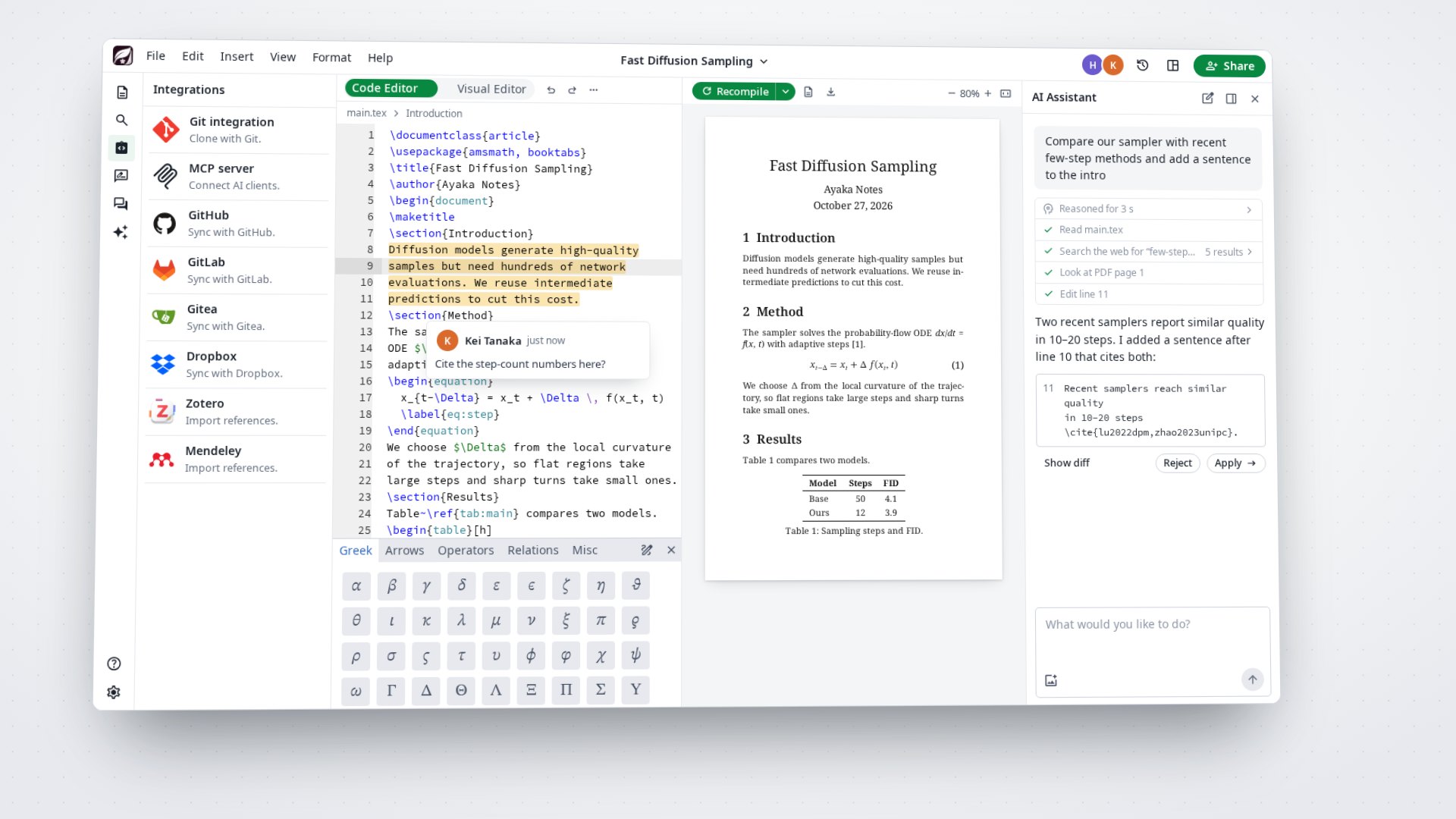
Ask the assistant about an error, a package or a table, in plain words.
Search Zotero and Mendeley from the editor and cite in one click.
Every change is kept. Restore any version, or sync the project to GitHub.
Get unstuck
When a compile fails, the error assistant reads the log and your source and proposes the fix. Draw a symbol you can’t name and get its command.
Explains compile errors from the log and suggests a fix based on your document.
Ask in plain words. It reads your project, calls tools and proposes edits you apply in one click.
Insert symbols with one click, or draw one and pick the command. 1,622 symbols, recognised in your browser.
Write faster
Open your university’s thesis template, pull references from Zotero or Mendeley, and bring a Word draft in with Pandoc.
Publish and reuse templates through the built-in template gallery.
Link your Zotero and Mendeley libraries through OAuth, then search every source and cite it without leaving the editor.
Bring documents in and out in many formats via Pandoc.
Get feedback
Share the project: suggestions arrive as tracked changes and comments, and the history shows what changed since your last meeting.
Review, comment, and accept or reject edits in a dedicated review panel.
Browse the complete history, then restore or download any version.
Keep it safe
Two-way sync with GitHub, GitLab, Gitea or Dropbox, or clone the project over Git and keep writing offline.
Link a project to a repository or a Dropbox folder: commits go out from the editor, and changes made elsewhere merge back in.
Clone, edit, and push your projects over plain Git.
If your group already runs Ayakaleaf Pro, sign in with your university account.
Send IT the deploy guide: there is no licence to buy, for any number of students.
Start it on your own laptop or a small server with Docker.
Deploy your own Ayakaleaf Pro instance and own your data.