Template system
Publish and reuse templates through the built-in template gallery.
 Ayakaleaf Pro
For teaching
Students open the course template in the browser and start writing. You comment on their drafts, and the error assistant answers the questions that used to fill office hours.
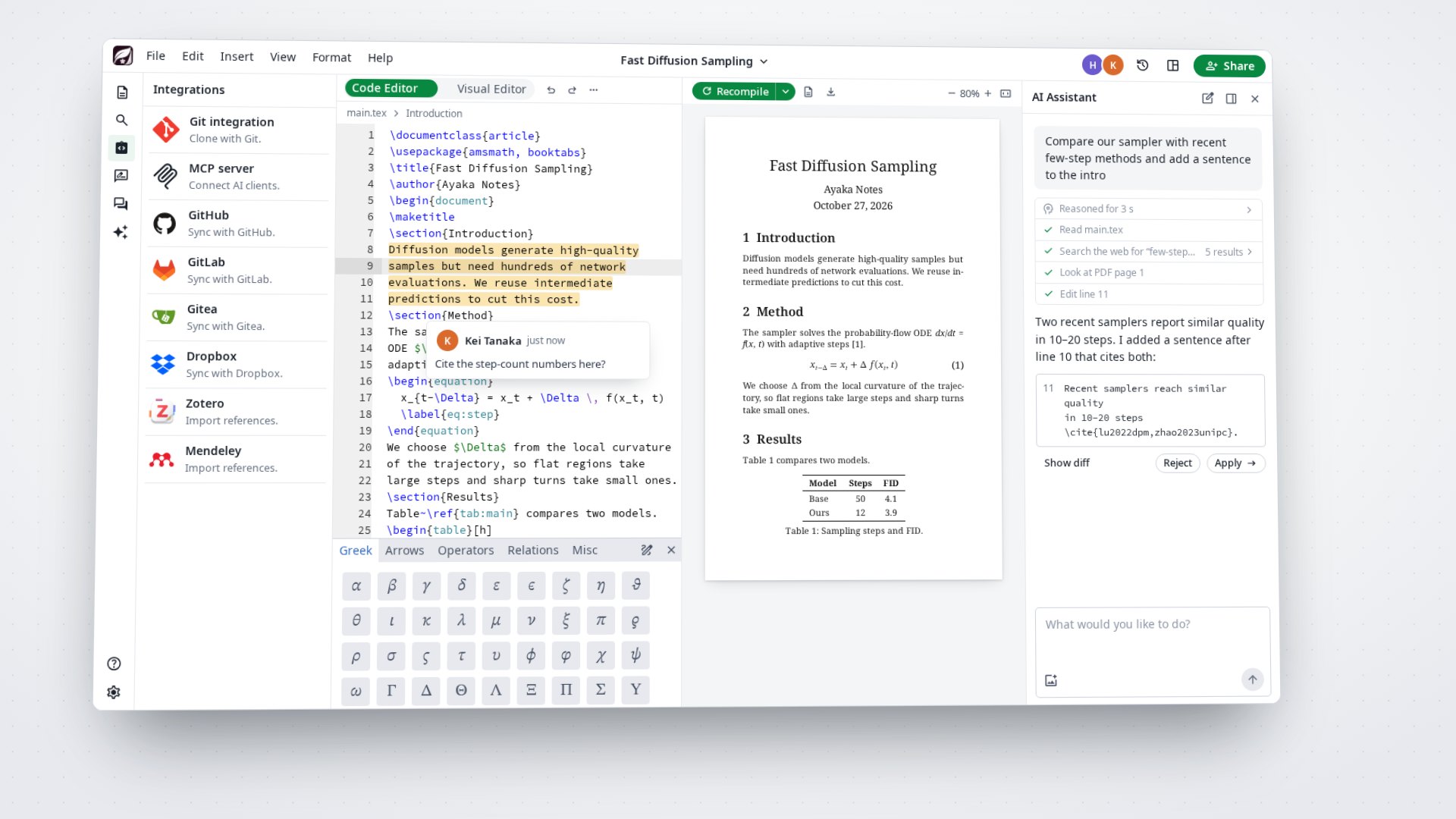
Everyone works in the browser, on any laptop, from the first lecture.
Publish the assignment template once, and every student starts from the same file.
Comment and suggest edits in place, the way you would on paper.
The assistant explains compile errors, so beginners get unstuck on their own.
Start the course
Publish the assignment to the template gallery and students open it as a new project. A symbol they can’t name, they can draw; a source they need, they can cite.
Publish and reuse templates through the built-in template gallery.
Insert symbols with one click, or draw one and pick the command. 1,622 symbols, recognised in your browser.
Link your Zotero and Mendeley libraries through OAuth, then search every source and cite it without leaving the editor.
Give feedback
Suggestions arrive as tracked changes and comments, and the history shows exactly what changed since the last submission.
Review, comment, and accept or reject edits in a dedicated review panel.
Browse the complete history, then restore or download any version.
Fewer office hours
When a compile fails, the error assistant reads the log and proposes the fix. The AI assistant answers questions about packages, tables and figures.
Explains compile errors from the log and suggests a fix based on your document.
Ask in plain words. It reads your project, calls tools and proposes edits you apply in one click.
Run it for the class
Students sign in with their university account. You decide which features the class gets, and every compile runs in its own sandbox.
Sign in with LDAP, SAML or OAuth 2.0, and let people sign up with an email on your allowed domain.
Manage every user and project, switch big features such as AI or Dropbox on or off per user, and see each change in the audit log.
Pick the TeX Live version per project. Every compile runs in its own container with no time limit, on x86_64 or arm64.
Turn the assignment into a template in the gallery.
Students sign in with their campus account and open the template.
Comment on drafts and follow every change in the history.
Deploy your own Ayakaleaf Pro instance and own your data.